
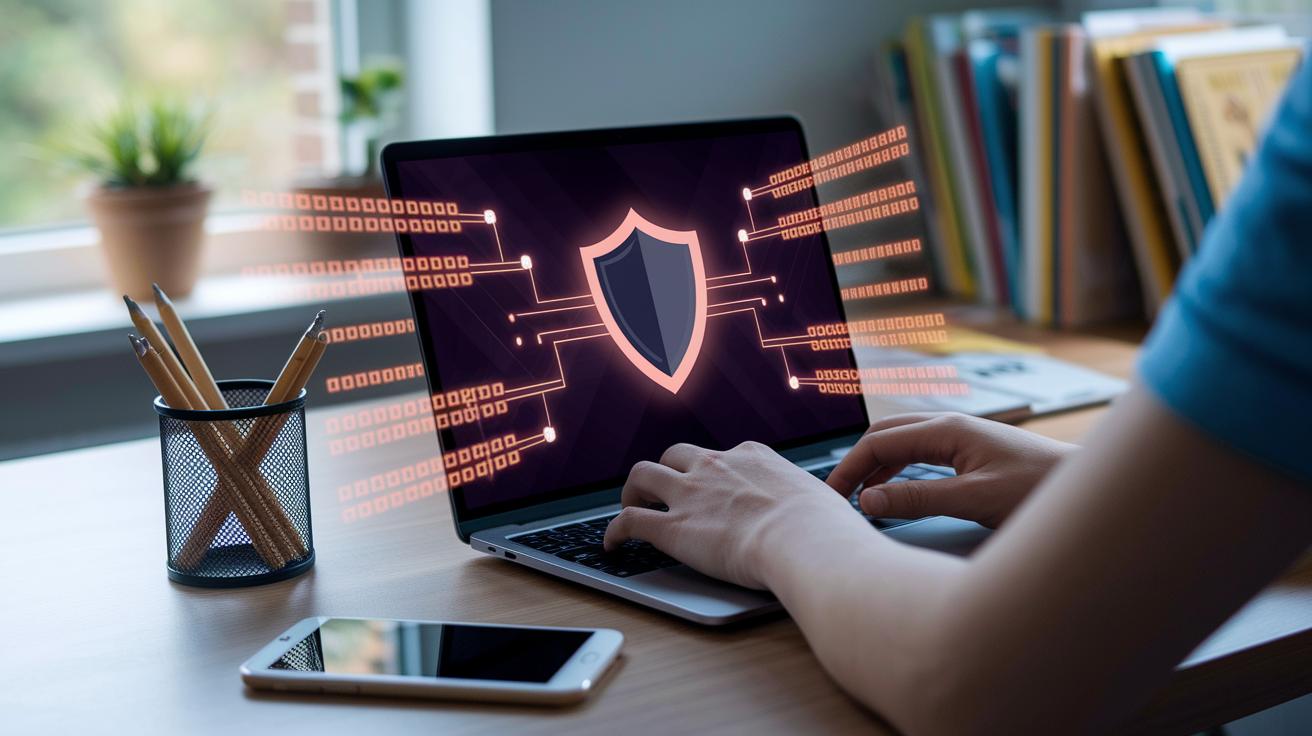

Ever wondered if your account is truly safe? Lately, there have been over 2,700 reported breaches exposing billions of records. That means your personal data could be more at risk than you might think.
Imagine your account is like a little house with only one weak lock. Bad actors can find clever ways to slip in. It’s a bit like leaving your front door open.
Let’s talk about some simple steps you can take. First, try multi-factor authentication (that means you use more than one method, like a password plus a text message code, to prove it’s really you). Next, choose strong passwords, ones that mix letters, numbers, and symbols, as if you were swapping a flimsy lock for a heavy-duty one. And finally, secure audit logs work like a security camera, showing you who is trying to get in.
By taking these steps, you can help keep your personal data safe in today’s digital world. Isn’t it good to know you have more control?
Fundamental Measures for Personal Data Protection in Account Security

From November 2023 to April 2024, an eye-opening 2,741 data breaches were reported in the U.S., impacting more than 6.8 billion records. That’s a lot of personal info out in the open, especially in the healthcare and finance sectors. Bad actors often use this data to commit identity theft, take over accounts, or even extort people. For example, there are account takeover tactics, sneaky methods that trap users in real-world risks, much like the warnings you might see in PayPal security alerts (check out https://teafinance.com?p=467 for more details).
The best way to protect your personal data is by using clear and consistent security practices. Start with steps like adding extra ways to verify your identity (multi-factor authentication, for example, uses a text code or email link), keeping a close eye on your login sessions, and using secure audit logs (records of system activity) to flag any unusual behavior. Companies should also set clear privacy policies that explain exactly how your information is used and stored. This helps reduce risk by avoiding unnecessary data collection and tightening up access.
- Use extra checks to confirm your identity (multi-factor authentication, such as a phone code).
- Keep your passwords strong and unique.
- Watch your account activity with secure audit logs (detailed records of system actions).
- Set your sessions to time out automatically to stop unwanted use.
- Clearly outline privacy policies so you know how your data is handled.
- Regularly review your security setup.
- Use safe sign-in methods like OAuth or SAML (technologies that verify your identity).
Together, these steps build a strong layer of defense. Each measure adds another barrier, making it much tougher for intruders to break in. When you combine multi-step identity checks with strong passwords, constant monitoring, and clear rules about data use, your account becomes a lot more secure. Simply put, the more layers of protection you add, the harder it is for attackers to steal your personal data.
Encryption Techniques and Cryptographic Standards in Account Security

Encryption works like a strong lock on your personal data, keeping everything safe. We use modern TLS (a method to protect data while it's moving between computers) when data travels and AES-256 (a top-notch tool to scramble stored information) when data sits still. Think of it like a secure safe with several bolts that stops unwanted eyes from seeing your private details.
Older systems, like SSL or TLS versions below 1.2, can be weak links. They might let bad actors force connections to use outdated methods. When that happens, even the best security can be compromised. That’s why it’s important to turn off these old protocols, it keeps every communication channel safer and only uses proven, secure methods.
- Enforce TLS 1.3 or above for all communications
- Implement AES-256 for stored data
- Disable SSL/TLS versions below 1.2
- Rotate keys quarterly via centralized KMS (a system that manages secret keys securely)
- Apply end-to-end encryption on sensitive fields
Proper key management is the heart of any strong encryption plan. By storing and rotating keys centrally using tools like KMS or HSM (hardware security modules that protect keys physically), organizations make managing secret codes a lot simpler. This not only meets required security standards but also cuts down the risk of a breach. In short, it builds a sturdier shield against cyber threats.
Multi-Factor Authentication and Verification Blueprints for Account Security

Multi-factor authentication (MFA) is like adding an extra lock to your door. It stops 99.9% of attacks that use simple automated tricks to steal your details. Basically, MFA makes sure it’s really you by checking more than one thing. You might need to enter your password, a one-time code sent by SMS, use your fingerprint or face scan, or even prove your location (that is, where your device is being used). Hackers usually give up because they can’t easily copy all these different steps.
Here’s a quick look at the security checks that come into play:
| Factor Type | Examples | Security Rating |
|---|---|---|
| Knowledge | Password, PIN | Medium |
| Possession | SMS code, hardware token | High |
| Inherence | Fingerprint, face ID | Very High |
| Location | IP address, device fingerprint | Medium |
Mixing these different factors builds a strong shield against unauthorized access. When organizations use MFA, it becomes really tough for hackers to guess or steal your login details. This layered approach not only blocks automated attacks but also boosts overall account safety. Every time you log in, your identity is checked in multiple ways, keeping your personal info safe and giving you real peace of mind.
In today’s ever-changing online world, having such extra security feels like a comforting, steady click on a secure login. It’s a simple measure that goes a long way in guarding what matters most.
Role-Based Access Control and Credential Management Principles

RBAC is a simple way to keep your accounts safe. It helps companies give users only the rights they need for their work, kind of like sharing the keys to your house only with trusted family members. This rule, known as the principle of least privilege (giving only the essential access), stops extra doors from being left open for anyone who shouldn’t be there. Many companies now store keys and secrets in special systems like KMS or HSM (tools that safely manage important data) to keep everything under control.
When using RBAC, you first set clear job roles and stick closely to what each role is allowed to do. This thoughtful setup stops mistakes with account credentials and keeps risks low across the whole team.
- Define roles that match job functions
- Give each role only the permissions it really needs
- Review and adjust role assignments every few months
- Set up automatic processes for adding and removing access
By following these RBAC ideas, you cut down on the chances for both inside and outside threats. It’s like locking your doors and windows before leaving the house, making sure everything stays safe by checking permissions and automating updates to keep potential breaches at bay.
Data Minimization, Retention Policies, and Secure Disposal Techniques

Storing less data means fewer chances for hackers to target your information. When you limit what you keep, you cut down on points where data breaches or unauthorized access might happen. Mapping how data moves through your system and maintaining a clear, current list of every storage spot can really help lower your exposure. This privacy-first approach not only lightens the load when it comes to following rules but also creates a strong strategy against breaches, leading to smarter, easier-to-manage digital archives.
Here are four simple steps to keep your data secure:
- Look over and chart how personal data is handled.
- Sort your data into groups and decide how long to keep each group.
- Set up automatic rules (a time-to-live timer, which deletes data after a set period) in your storage systems.
- Use safe methods to dispose of data (like using a secure erasure method that protects your data with advanced encryption or physically shredding paper records).
When companies follow these steps, it’s easier to set clear schedules, maybe keeping some data for 90 days and other types for a year. This kind of orderly plan is key to reducing risks by getting rid of sensitive data quickly and safely while making it easier to follow regulations. It’s a bit like tidying up your room regularly; small, quarterly reductions in data help create a system that keeps your information well-protected and minimizes overall risks.
Continuous Monitoring, Patching, and Incident Response in Account Security

Keeping a careful eye on user accounts is key to stopping unusual activity. When you set up secure logs and smart alerts, you catch potential threats before they escalate. And by fixing security gaps quickly (patching, basically, putting a patch on a hole in security), you ensure that any issue gets resolved before it's taken advantage of.
It works best when you follow a series of simple steps, much like locking your doors every night. For example:
- Use real-time systems that watch out for intruders (imagine a security guard always on duty).
- Run monthly scans to check for any weak spots.
- Roll out patches within 72 hours, so fixes are prompt.
- Keep an updated guide on what to do if a breach happens.
- Run drills every few months to practice your response.
By staying alert and patching regularly, you can reduce the impact of any breach. This way, if something does go wrong, you’re ready to notify those affected and start fixing the issue right away. This friendly routine of constant watching, quick fixes, and routine practice keeps account security strong against new cyber threats.
User and Employee Education for Cyber Defense Tactics in Account Security

Training goes well beyond a simple checklist, it plays a crucial role in protecting your personal data securely. Regular sessions help your team learn to spot warning signs like phishing (fraudulent emails designed to steal your information) and other threats, boosting detection rates by up to 60%. When employees are well-trained, they quickly recognize odd emails or unusual account activities, lowering the chances of accidental data leaks. In short, regular training creates a team that's actively involved in keeping accounts safe.
- Identifying spear phishing emails
- Creating and updating secure passwords
- Understanding social engineering tricks
- Reporting anything suspicious
- Handling confidential information safely
- Learning secure coding basics
By making security a core part of everyday work, everyone learns their role in protecting data. When each team member can spot and report issues, the whole organization becomes much stronger against cyber threats. This proactive approach not only builds confidence in your team's ability to secure sensitive information but also reinforces the overall resilience of your network.
Compliance with Privacy Regulations and Privacy-Enhancing Technologies

We all want to feel secure knowing our personal information is handled right. Laws like GDPR and CCPA lay out clear rules for how companies should collect data, respect your rights, and let you know if things go wrong. When firms stick to these guidelines and follow the details explained in the security policy (https://teafinance.com?p=604), it shows they’re serious about protecting your data and earning your trust.
Privacy-enhancing technologies, or PETs, add an extra layer of protection by using tricks like anonymization (hiding your personal details) and tokenization (swapping sensitive info with safer codes). These tools not only lower the risk of data breaches, they also help companies keep up with regular checks and reviews to meet the rules. Simply put, PETs act like a protective shield for your data from start to finish.
- Conduct annual reviews of your privacy practices
- Use anonymization and tokenization to protect personal details
- Document vendor security assessments
Mixing solid legal rules with smart privacy tools creates a really strong safety net. This way, managing data securely isn’t just a one-time task, it becomes a continuous practice that keeps your information safe every day.
Final Words
In the action, we looked at essential steps like multi-factor checks, secure sign-in methods, audit logs, and controlled access. We broke down how clear privacy policies, data minimization, and routine monitoring work together to safeguard your funds.
Each measure forms a part of the overall shield that strengthens personal data protection in account security. These practical steps help keep your money safe while supporting smart financial growth. Here’s to a secure and confident financial future!
FAQ
What does personal data protection in account security mean, with examples from 2021?
Personal data protection in account security means using safeguards like multi-factor authentication and strong privacy policies to keep account information safe. These methods have been essential, including during 2021.
What are some examples of data security and privacy measures?
Data security and privacy measures include using encryption, secure sign-in protocols, multi-factor authentication, and strict data handling policies to protect personal information across systems.
What does a cybersecurity and data protection PDF typically cover?
A cybersecurity and data protection PDF usually outlines best practices such as encryption standards, audit logs, and secure credential management to protect personal information from unauthorized access.
What is data protection and why is it important?
Data protection involves methods to secure personal information from unauthorized access, misuse, or breaches. It is important because it builds trust, helps comply with laws, and prevents financial and identity theft risks.
What are the seven personal data protection principles?
The seven personal data protection principles include lawfulness, fairness, transparency, purpose limitation, data minimization, accuracy, and storage limitation, which guide safe collection, processing, and maintenance of data.
What is personal data protection (or personal data security)?
Personal data protection, also known as personal data security, refers to policies and technical safeguards that secure users’ information from harm, unauthorized access, and misuse, keeping data trustworthy and accounts safe.
What are the three types of data protection?
The three types of data protection include physical measures (hardware locks), technical safeguards (encryption and secure protocols), and administrative controls (policies and training) that together help secure data.