


Have you ever thought that taking charge of your money could be easier? There are tools that help clear up the mess and turn it into a simple plan. They work like a friendly helper organizing your spending in a neat digital notebook.
These tools let you keep track of your income, expenses, and savings all in one spot so you can see how you're doing right away. In this guide, we'll show you how using these handy systems can lead to wise budget moves and a steadier path to financial confidence.
Essential Money Management Tool Categories for Budgeting, Tracking, and Saving
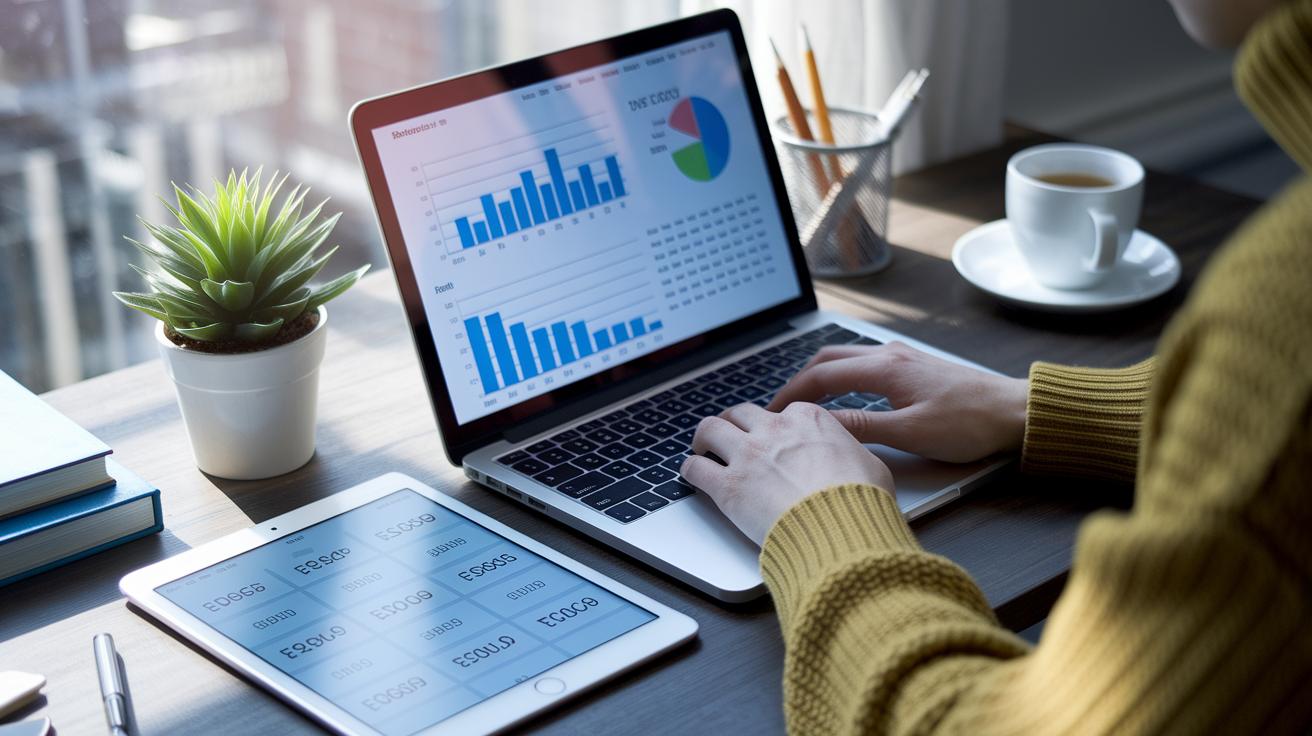
Using dedicated software to track your money can really cut down on mistakes compared to shuffling numbers into a spreadsheet by hand. With digital tools, you get updates automatically and in real time, so you can see your full financial picture clearly, like having a trusty digital notebook that catches every detail.
These smart systems give you a better handle on your money too. They let you quickly sort your spending into categories, set handy reminders, and watch your progress as it happens. This means less time stressing over mistakes and more time planning your spending and saving with confidence.
- Online Budgeting Platforms – Simple tools that let you create budgets, track your income and spending, and easily see if your actual expenses match your plans.
- Digital Expense Trackers – These apps hook up to your accounts, automatically recording and sorting your spending so you don’t have to do it manually.
- Personal Finance Organizers – They bring all your bills, savings, and budgets into one secure spot, making it easier to manage everything together.
- Savings and Goal-Setting Apps – These apps are made to help you reach your saving goals by sending reminders and showing you visual progress.
- Investment and Portfolio Dashboards – For managing investments, these dashboards give you clear snapshots of how things are doing and let you adjust your plans with real-time updates.
When you mix different types of tools, you build a strong financial system. Pairing online budgeting platforms with expense trackers and goal-setting apps gives you a complete view of your financial health. This mix doesn’t just simplify your daily transactions, it also helps you make smart budget moves, keeping you steady on the path to long-term financial success.
Comparing Top Online Money Management Tools: Mint, YNAB, and More

Comparing features is a simple way to see what each money management tool offers. It’s like laying out your favorite snacks to see which one hits the spot. In our chart below, you’ll find details such as pricing options, automatic expense sorting, access on your phone, custom alerts, and ways to track your investments (basically, keeping an eye on your money). This side-by-side view helps you decide which tool fits your daily budgeting or even more complex business needs. For example, you can quickly tell that Mint’s free option might appeal if you’re avoiding extra costs, unlike YNAB’s subscription-based plan.
| Tool | Pricing | Key Features | Best For |
|---|---|---|---|
| Mint | Free & Premium | Automated categorization, budgeting, alerts, investment tracking | Overall money management |
| YNAB | Subscription ($14.99/month) | User-friendly budgeting, goal tracking, real-time updates | Hands-on budgeting enthusiasts |
| GoodBudget | Free & Paid Versions | Envelope budgeting, expense monitoring, simple interface | Envelope budgeting fans |
| PocketGuard | Free & Premium | Consolidated expense tracking, cash flow insights, customizable alerts | Easy expense oversight |
| Quicken | Subscription ($34.99/year) | Detailed reports, investment tracking, on-demand insights | Detail-oriented planners |
Take a close look at the chart above and think about your own needs. If a free, everyday tool is what you’re after, Mint or PocketGuard could be just right. But if you prefer more detailed tracking and don’t mind a subscription, then YNAB or Quicken offers some extra bells and whistles for your budgeting journey.
In short, this head-to-head comparison removes the guesswork. It shows you clearly which tool might be the best match for your financial style, making it easier to manage your money with less stress.
Free vs Paid Budgeting Software Solutions: Pros and Cons

When you're choosing budgeting tools, the big difference is all about what features you need and the kind of help you want. Free options like Mint and GoodBudget let you sort your spending manually or with a bit of help from the software, all without a subscription cost. They’re perfect if you enjoy getting involved with your own money matters, doing everyday expense tracking, or looking at simple reports. But if something goes wrong, you might not get fast support or extra security (which is like having an extra lock on your door).
On the other hand, paid software like YNAB and Quicken bring more convenience into the mix. They can automatically import bank transactions and even give you detailed reports on investments. These tools usually come with dedicated support teams and better security, so when you log in, it feels as smooth and secure as clicking through a trusted app. For instance, EveryDollar Plus handles most of the data entry for you, letting you concentrate on your big financial goals instead of endless number crunching. If you prefer an automatic, hands-off approach to managing your money, these subscription services might be just what you need to feel confident and in control.
Mobile Budget Planner Utilities: Managing Finances On the Go

Mobile finance tools let you track spending, update budgets, and get important alerts wherever you may be. With these handy apps, managing money feels as simple as carrying a digital wallet right in your pocket. Imagine getting a friendly nudge on your phone saying, "Your account is running low. Maybe check your planned expenses?" That quick message helps you notice patterns in your spending and make adjustments on the spot.
Apps like Mvelopes, PocketGuard, Mint Mobile, and YNAB for iOS and Android bring smart money management right to your fingertips. They offer different styles of budgeting, from envelope methods (allocating money to specific spending areas) to a one-screen view of your cash flow and goals. Plus, they have neat features like tracking where you spend, using geolocation (technology that uses your phone’s location) to log expenses when you visit a store, and letting you work offline when you’re out of network range. These apps also send reminders about bills and warn you when funds are low, so every decision you make is both informed and confident.
Secure Cloud-Based Finance Dashboard Tools for Real-Time Monitoring

Our cloud dashboards work like a strong digital vault. They use powerful encryption (a way to scramble your information so only you can read it) and a two-factor check (a quick extra step to confirm it's really you) to keep your money safe. You get to decide who sees your information with simple access controls that give each person a specific role. This setup makes sure that only the right folks can peek at your finances, keeping your data as secure as a treasure chest. Plus, with encrypted storage and backup plans for emergencies, your data stays protected 24/7.
Automated finance monitors make it easy to stay in the know about your spending and earnings. These tools send out instant alerts if something doesn't add up, so you can quickly spot any changes. They work across both web and mobile devices, ensuring that every update is fresh, no matter where you are. And thanks to automated approval workflows, you can skip endless manual tasks and focus on what really matters. Your financial health gets a constant check, kind of like having a friendly advisor keeping an eye on your balance.
Automated Finance Monitors and Integrations: Streamlining Workflow

Modern platforms hook up your bank accounts, credit cards, tax tools, and investments using an API (a digital link between systems) so your transaction data comes in automatically. Imagine a safe, cloud-based dashboard that captures every little spending detail, from your daily coffee to bill payments, just like watching a clock tick along.
Bank Account Synchronization and Transaction Categorization
These tools quickly reach out to your banks in real time using an API, collecting your transaction data straight away. Then, custom rules sort everything into easy-to-read categories like groceries, utilities, or entertainment. The dashboard updates instantly, so you always have a clear picture of where your money goes.
Bringing all these features together means you spend less time on manual work and worry about mistakes less. It’s a smoother, more productive way to manage your money and plan your finances with confidence.
Strategies for Maximizing Money Management Tools in Daily Budgeting

Every week, take a few minutes to look over your budgeting tools. Check your spending using the built-in reports so you can see what was planned and what actually happened. This simple habit lets you feel and stay in control of your money. Also, set a reminder to back up your data to keep everything safe and current.
Next, make the most of those interactive charts and goal-setting tools to match your everyday expenses with your big dreams, like saving for retirement. Run regular check-ups with these digital helpers to see if you're overspending or making good progress with your savings. This hands-on method lets you tweak your plan for both your daily budget and future goals. For more ideas on setting smart goals and improving cash flow, check out the personal financial planning exercises on our website.
Final Words
In the action, we explored different types of digital tools that simplify how you manage your money. We talked about budgeting apps, expense trackers, and secure cloud solutions that help keep your funds safe and your spending in check.
These systems, along with automated monitors and integrations, create a solid strategy for everyday financial checks. Embracing these money management tools can boost your confidence and keep your finances on track.
FAQ
What are the best money management tools?
The best money management tools combine features like budgeting, expense tracking, and savings planning, making it easier to monitor daily spending and stay organized in your finances.
What are the best free money management and personal finance tools?
The best free tools offer essential budgeting functions, automatic expense categorization, and simple tracking features. They let you manage your money without added costs.
Is Microsoft personal finance software available as a free download?
Microsoft personal finance software can be downloaded for free from official channels. It provides basic budgeting and tracking features suited for everyday money management.
What is the 50 20 30 rule?
The 50 20 30 rule splits your income by directing 50% to essential expenses, 20% to savings or debt, and 30% to lifestyle spending, helping maintain a balanced budget.
What is the 70/20/10 money management rule?
The 70/20/10 rule assigns 70% of income for expenses, 20% for savings or debt repayment, and 10% for investments or charitable giving, keeping financial priorities clear.
What is the 7 day rule for money management?
The 7 day rule encourages reviewing your finances weekly. This habit helps you track spending, adjust your budget, and stay aware of upcoming payments and savings goals.
Which money manager app is best for beginners?
The best money manager app for beginners offers a clear design, simple budgeting tools, and step-by-step guidance. It helps new users easily record expenses and manage daily finances.
What does personal finance tracking involve?
Personal finance tracking involves recording income and spending, reviewing financial trends, and planning future budgets. This keeps your cash flow steady and goals in focus.
What are some top software options for home finance and budgeting, including those for Mac?
Leading home finance software options, including those for Mac, provide user-friendly interfaces, thorough budgeting capabilities, and tools to monitor household expenses effectively.
What is Origin personal finance?
Origin personal finance is a software tool that offers features for recording transactions, monitoring spending patterns, and planning budgets, helping you manage money more efficiently.